Speed
From thought to answer in one move. Global shortcut, clipboard monitor and auto-send: copy, press, and the prompt is already on its way to your chosen AI.
 KotodamaAi Prompt Builder
 Open source · Free · Windows · macOS · Linux
Kotodama brings ChatGPT, Claude, Gemini and other AI assistants into one desktop app. Write the prompt, pick the provider, send. Fast and everything stays on your computer.
Windows · macOS · Linux — v1.0.11


Kotodama is a free, open-source desktop app that brings the main AI assistants (ChatGPT, Claude, Gemini, Grok, Perplexity, Qwen, DeepSeek, Z.ai) into a single window, with automatic prompt sending. It runs fully locally: no account, no telemetry, your data never leaves your computer.

Works with your favorite assistants
Built for people who use AI every day and care about their privacy.
From thought to answer in one move. Global shortcut, clipboard monitor and auto-send: copy, press, and the prompt is already on its way to your chosen AI.
Your prompts stay home. Kotodama runs entirely on your machine: there is no server of ours in the middle, your text never passes through us.
The safest data is the data we never collect. No account, no tracking, no analytics: nothing to process or transfer.
Sign in to your AIs as usual, inside the app. Cookies and sessions live in your computer's local profile: Kotodama never sees them.
Open code: you can see how it works and contribute. Builds are freely downloadable, no account needed.
A real desktop app, not yet another browser tab. It lives in the tray and starts with your system, if you want.
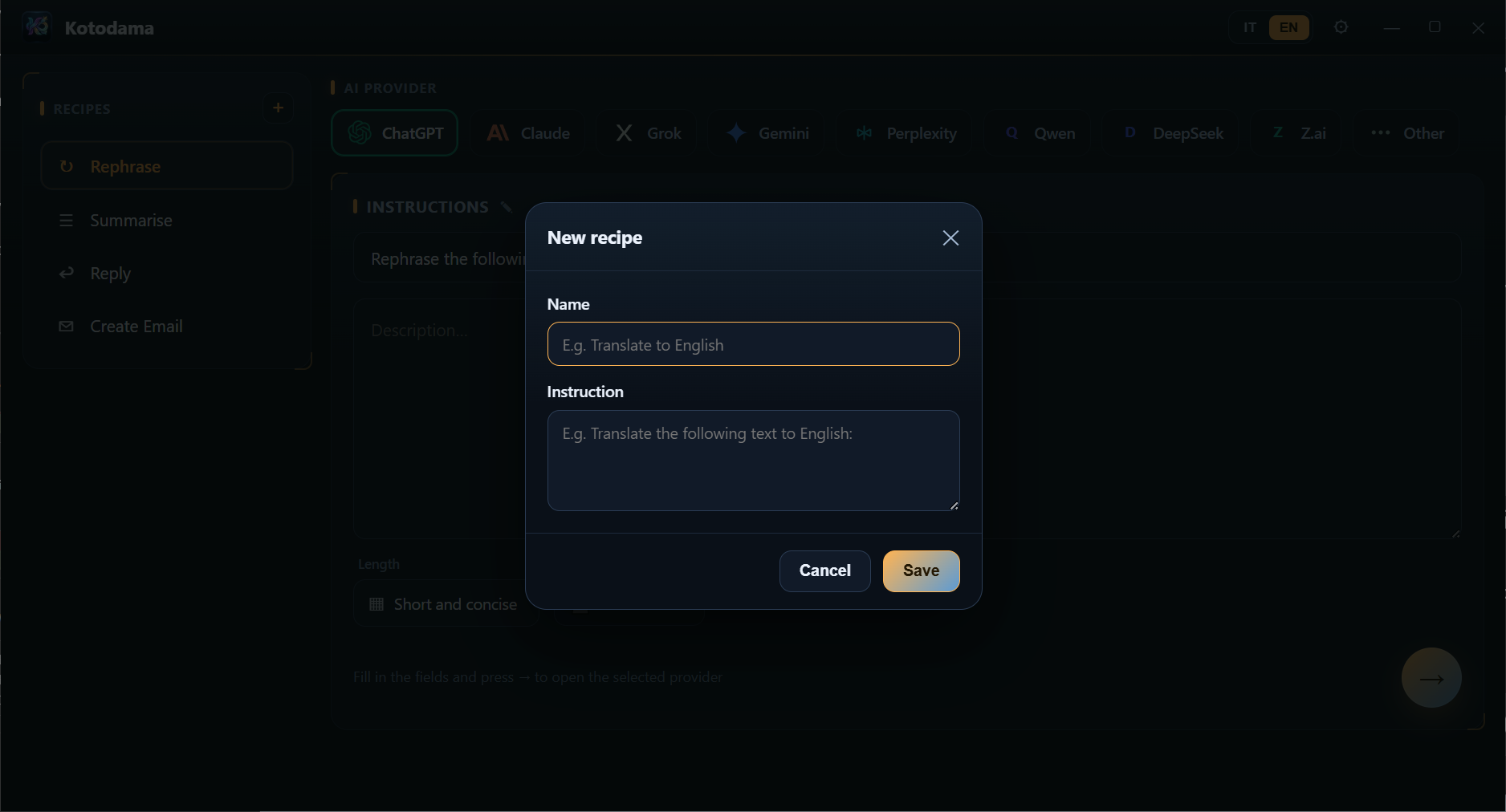
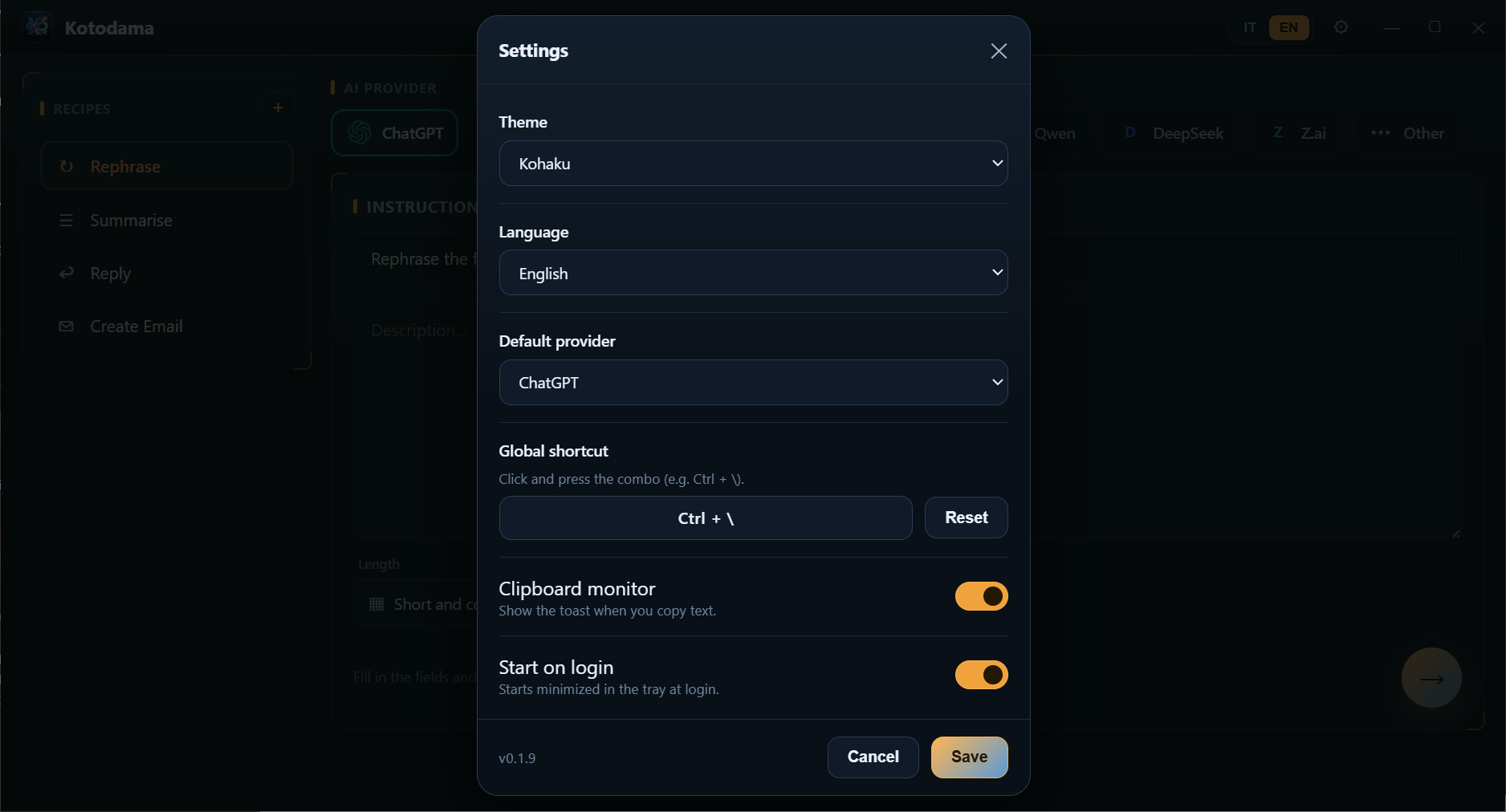
Real screenshots of the app.
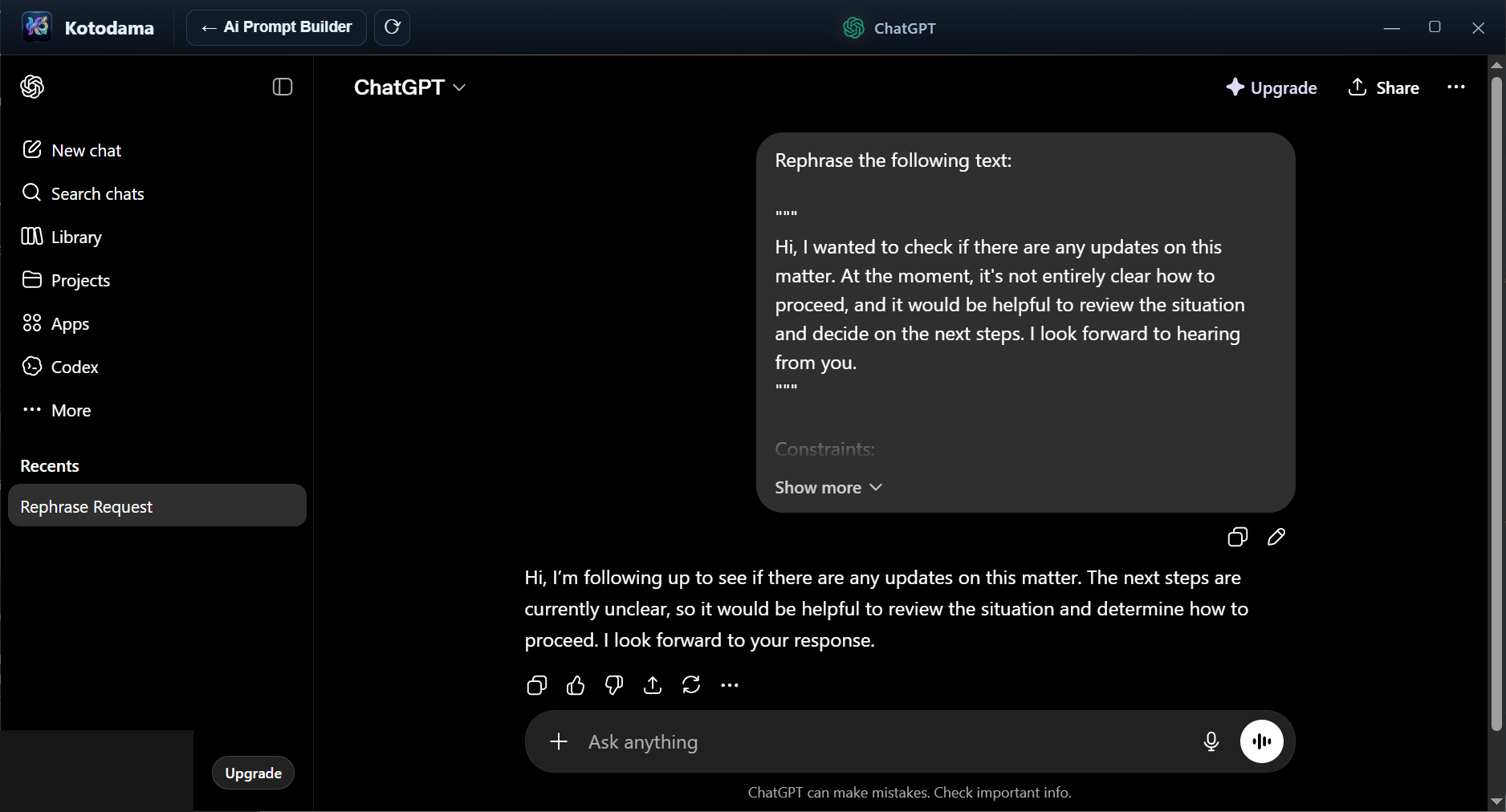
ChatGPT, Claude, Grok, Gemini, Perplexity, Qwen, DeepSeek, Z.ai and more.
Fills the field and sends for you: from text to answer with no copy-paste.
The assistant opens inside Kotodama, with a Builder · Back · Reload bar.
Copy text anywhere and a notice with a preview pops up: open it in one click.
Summon Kotodama from any app with a configurable hotkey.
Save your instruction templates (translate, summarize…) and reuse them instantly.
Multiple themes and an interface in Italian and English.
Stays in the system tray and, if you want, starts at login.
Windows, macOS and Linux.
Kotodama has no backend, collects no data and tracks nothing. Your settings and recipes are saved only on your computer. It is open source: you can verify it.
Free and cross-platform. Get the latest version.
Download Kotodama